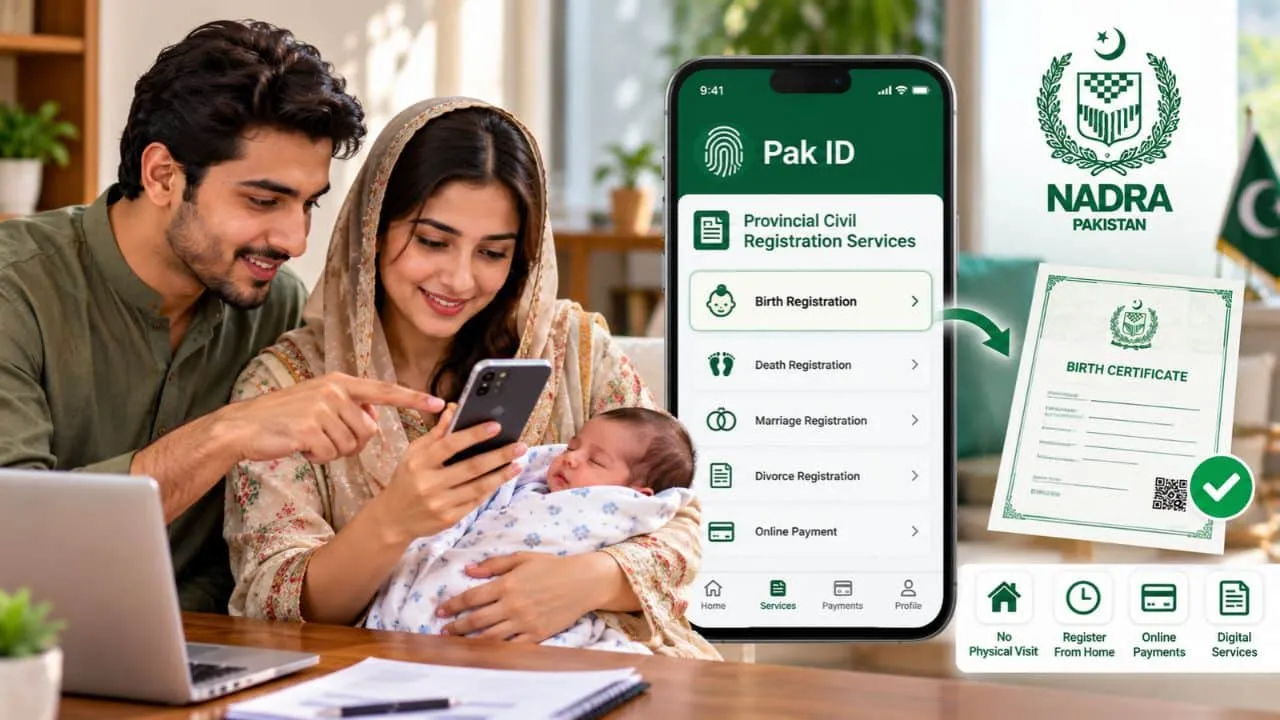
Parents living in Pakistan can now register a newborn or child birth with local government offices straight from home via the official NADRA Pak ID mobile application, eliminating physical trips entirely.
This service operates through the Provincial Civil Registration Services menu inside the app, linking citizens directly with the correct Union Council, Municipal Committee, Town Committee, or other local authority.
NADRA officially includes birth registration within these civil registration options, while the software also handles digital document requests and online fee settlements.
Download And Log In To The Pak ID App
Users need to install the official Pak ID mobile application onto their mobile phone first.
New accounts require a brief signup process, whereas returning users can log in using their established credentials.
NADRA makes this application accessible for both iOS and Android smartphone users, letting citizens handle identity tasks directly from mobile devices.
Open Provincial Civil Registration Services
Once signed in, applicants must navigate to the Provincial Civil Registration Services section.
From there, they choose the correct province followed by the birth registration option.
The system might already show children tied to the user family tree, allowing parents to pick the specific child.
If the child name is absent from the screen, users can tap the unlisted child option to move forward.
Select District, Tehsil And Union Council
The software next requests administrative details for the registering office.
Applicants must pick their specific district, tehsil, and Union Council or local governing body.
Choosing the application category and entering the exact birth date of the child is also mandatory at this stage.
These selections determine which local department handles the paperwork.
Check The Applicable Birth Registration Fee
A fee calculation tool is built into the app before formal submission begins.
Tapping this feature reveals the exact charges due for the filing.
Costs vary based on local provincial rules, registration types, and timing, so users must rely on the app calculation rather than expecting a uniform national price.
After checking the amount, applicants can tap start application to proceed.
Enter The Child Details
The following screen gathers information concerning the child.
If NADRA already holds records for the minor, users can choose yes and input the B-Form or identity number to pull up existing data.
Applicants then check these details and supply any extra data requested by the system.
If no prior record exists, users select no and type in all required details manually.
Provide Parents Information
Parent details appear next in the workflow sequence.
Users must type in accurate information regarding both mother and father, ensuring entries match official identity documents.
Finishing this portion leads straight into additional civil registration fields.
Enter Additional Family And Birth Details
Further questions regarding family members and birth specifics may appear on screen.
NADRA guidelines instruct users to fill out every blank field prior to advancing.
Double-checking these entries prevents delays during verification by local authorities.
Photograph And Biometric Requirements Depend On The Child Age
Rules for images and biometrics change depending on how old the child is.
Infants under three years old do not need fingerprint scans. Current rules require a photo and iris scan for children aged three to 10, while minors between 10 and 18 years old need a photograph, fingerprints, and iris scans.
During the app demo, photo capture is skipped for under-threes, required for ages three to 10, and combined with fingerprints for those over 10 and under 18.
Applicants must follow the exact prompts generated for their specific child age group.
How To Capture The Child Photograph
When an image is requested, users tap the capture photo button.
Either the front or rear smartphone camera works for this step.
The face of the child must stay inside the on-screen guide, and parents should confirm the picture is sharp before saving.
Live photo capture is a core feature of the digital identity platform.
How To Scan Fingerprints
If biometric scans are triggered, the app opens a fingerprint capture window.
Users select start scan and follow visual prompts to record the correct fingers.
Children under 10 years of age are exempt from fingerprinting under current policy.
All mandatory scans must finish successfully before moving ahead.
Select The Address For The Birth Certificate
The software prompts users to pick which address appears on the final birth certificate.
Parents can choose either their current or permanent address based on application data.
Reviewing this choice is critical since it becomes part of the permanent civil registry.
Pay The Birth Registration Fee Online
Reaching the payment stage follows the completion of all data entry.
NADRA supports payments via credit cards, debit cards, Raast, JazzCash, EasyPaisa, and e-Sahulat, depending on the selected service.
Users finalize the transaction through one of these channels before moving to the final step.
Review The Application Before Submission
A summary screen appears prior to final document dispatch.
Parents should tap review your data to inspect the entire form closely.
Verifying the name, birth date, parent particulars, and address is essential.
After verification, users agree to the declarations and press submit.
A success notification appears immediately after successful transmission.
What Happens After You Submit The Application?
NADRA processes the digital file upon receipt and routes the details through civil registration channels.
The designated local authority then reviews the case according to regional and municipal rules.
The overarching Civil Registration and Management System connects thousands of Union Councils and municipal bodies across the country.
How To Download The Birth Certificate
Once processing finishes and the document is ready, users revisit the applications tab in the app.
Selecting the relevant file lets them tap the download button.
The certificate becomes accessible inside the personal ID Vault.
NADRA defines the Pak ID Vault as a secure digital storage space for official certificates and identification documents.
Exact fees, rules, and timelines depend on provincial jurisdictions and local office conditions, so users should stick strictly to the prompts generated inside their app.