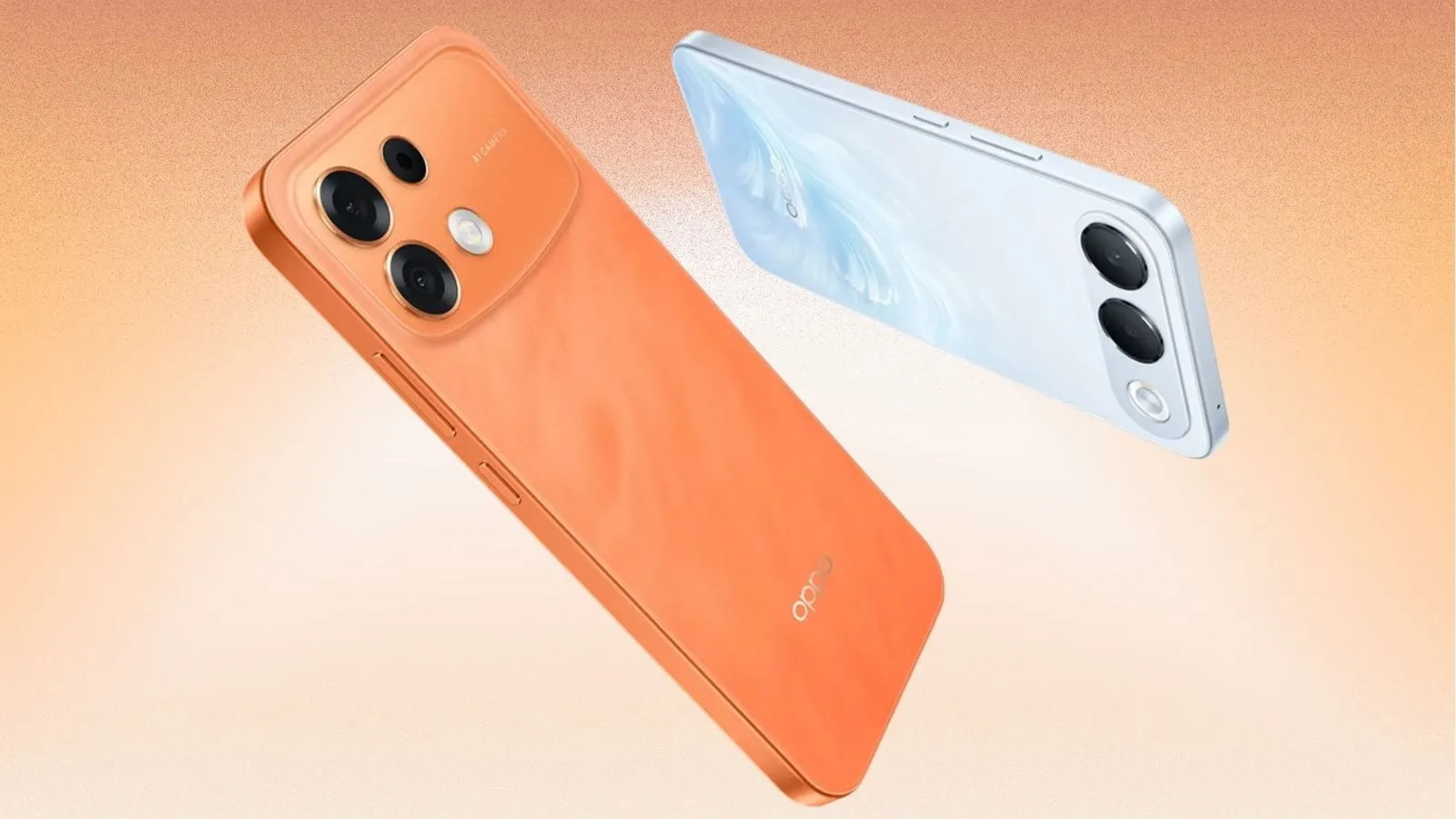
Oppo has started rolling out its ColorOS 17 update to the recently launched Oppo F35 Pro as part of the third rollout wave for the operating system.
The update adds a suite of performance and security tools, including ColorOS Smoothness Boost, the Laminar Flow engine, AI Call Guard and Private Computing Cloud, aimed at keeping the mid-range device responsive and its data private.
What Is ColorOS 17 and Why It Matters for the F35 Pro
ColorOS is Oppo's custom Android skin, first introduced in 2013 and regularly refreshed with new features. Version 17, launched globally in early 2024, builds on Android 14 and brings a range of visual, performance and artificial-intelligence enhancements. For the F35 Pro, a phone that debuted early last month, the upgrade is the first major software change since launch.
Performance Improvements: Smoothness Boost and Laminar Flow
ColorOS Smoothness Boost is a feature created specifically for the F-series lineup. It works by fine-tuning the scheduler that allocates CPU cycles, reducing background lag and keeping foreground apps responsive. In practical terms, users should notice faster app launches and less stutter when scrolling through feeds.
The Boost works in tandem with the Laminar Flow engine, a core component of ColorOS 17 that manages memory allocation and GPU rendering. Laminar Flow dynamically adjusts resources based on real-time usage patterns, helping to preserve battery life while maintaining a fluid UI.
AI-Powered Security Additions
Two AI-driven security tools debut with the update. AI Call Guard monitors incoming voice and video calls for synthetic-voice manipulation and deep-fake facial overlays. When a potential fraud attempt is detected, the app displays a warning, giving users a chance to reject the call before sharing personal information.
Private Computing Cloud (PCC) is a data-privacy layer that encrypts personal files before they leave the device. Even Oppo's own cloud services cannot read the encrypted content, ensuring that photos, messages and other sensitive data remain private.
Technical Specs of the Oppo F35 Pro
The F35 Pro is positioned as a mid-range smartphone. It is powered by MediaTek's Dimensity 7360 chipset, a 6-nanometer SoC that supports 5G, AI acceleration and a Mali-G68 GPU. The device also houses a large 8,000 mAh battery, which, combined with the efficiency gains from Laminar Flow, should provide extended screen-on time even under heavy use.
How the Rollout Is Structured
Oppo's rollout strategy for ColorOS updates typically follows three waves. The first wave targets flagship devices, the second covers premium mid-range models, and the third reaches the broader mid-range segment. The F35 Pro's inclusion in the third wave indicates that Oppo is prioritising a stable, tested release for a larger user base.
Users receive the update via the standard Over-The-Air (OTA) mechanism. The notification appears in the Settings → Software Update menu, and the process takes roughly 15-20 minutes on a fully charged device.
Impact on Existing Users and New Buyers
Current owners of the F35 Pro will benefit from a smoother daily experience and added protection against emerging AI-based scams. For potential buyers, the update narrows the performance gap between the F35 Pro and higher-priced competitors, making the phone a more attractive option in markets where price sensitivity is high.
What to Expect Next from Oppo
Oppo has indicated that future ColorOS releases will continue to integrate AI across the system, including camera enhancements and battery-optimisation modules. While no exact timeline is provided, the company's past cadence suggests a major update roughly every twelve months, with incremental patches every few months.
Users should watch for upcoming OTA prompts and review the changelog in Settings to ensure they are benefiting from the latest security patches.
Practical Takeaways for Readers
- Back up important data before installing the OTA to avoid accidental loss.
- Enable AI Call Guard in Settings → Privacy → AI Call Guard to receive real-time fraud alerts.
- Activate Private Computing Cloud for apps that store sensitive files, ensuring end-to-end encryption.
- Monitor battery usage after the update; the Laminar Flow engine should extend the 8,000 mAh battery's endurance.