Samsung is testing a redesigned version of Live Notifications that looks more like Apple's Dynamic Island. The upcoming change could make switching between active notifications easier on Galaxy phones.
What Is Changing in Samsung's Live Notifications?
Samsung introduced Live Notifications with One UI 7. The feature displays ongoing activities, such as timers and recording indicators, in a small pill at the top-left corner of the status bar. Users can also switch between notifications from different apps by swiping up or down.
The company is now testing a different design that places the notification pill in the centre of the screen. The updated version also replaces vertical gestures with horizontal swipes. This allows users to switch between ongoing activities by swiping left or right without expanding the pill.
How the New Design Mirrors Apple's Dynamic Island
Apple launched Dynamic Island on the iPhone 14 Pro series in 2022, turning the cut-out for the front-facing camera into an interactive space for alerts, timers, music controls and other live activities. The design uses a pill-shaped area that expands and contracts based on the content, and it is controlled primarily through horizontal gestures.
Samsung's new Live Notifications design adopts a similar visual language: a central pill that remains visible while the user interacts with it, and left-right swipes to move between items. While Samsung has not used the Dynamic Island name, the functional parallels are clear, and the shift from a top-left corner to a centre-screen location brings Samsung's UI closer to Apple's approach.
Why Samsung Is Moving Toward This Layout
Usability research across Android and iOS platforms shows that users often struggle with small status-bar elements that require precise vertical gestures. By moving the pill to the centre and using horizontal swipes, Samsung hopes to reduce mis-swipes and make it easier for users to see and interact with ongoing activities while using apps.
In addition, the centre placement aligns with the visual focus of many modern Android launchers, which prioritize a central notch or punch-hole camera area. This design decision may also help Samsung differentiate its UI from earlier One UI versions while keeping pace with competitor innovations.
How This Fits Into the Wider Android Ecosystem
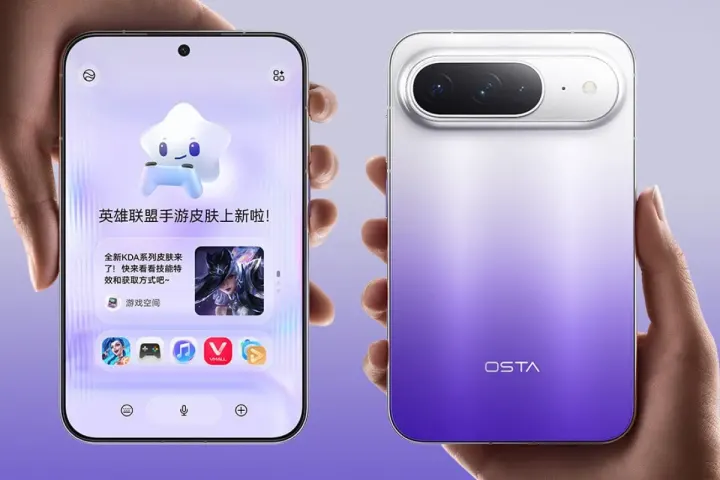
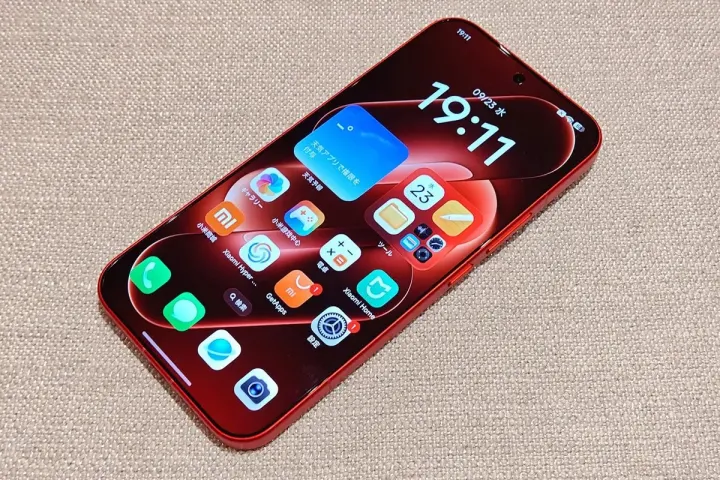
Samsung would not be the first Android brand to introduce a similar feature. Several Chinese smartphone makers already offer comparable notification designs, often bundling them with custom skins that mimic the Dynamic Island effect. Brands such as Xiaomi, Oppo and Realme have rolled out "floating islands" or "smart bubbles" that provide quick access to timers, music playback and navigation.
The emergence of these designs reflects a broader trend: Android OEMs are experimenting with more interactive status-bar elements to compete with Apple's proprietary UI tricks. Samsung's move therefore represents both a response to user expectations and a bid to stay ahead in the premium-phone segment.
Where and How the Redesign Is Being Tested
The new Live Notifications interface is currently being tested in One UI 9.5. The software is available through a beta program for the Galaxy S26 series in select countries. Participants in the beta can opt-in via Samsung's Members app, where they receive a prompt to download the One UI 9.5 build.
Beta testers report that the central pill appears after a short delay when an app registers a live activity. Swiping left or right cycles through active items without expanding the pill, and a brief tap brings up a larger overlay with more controls. The feedback loop is still open, and Samsung has indicated that the design may be tweaked further before a wider rollout.
Potential Launch Timeline and Device Impact
If development continues as expected, Samsung could introduce the redesigned feature with the Galaxy S27 series. The Galaxy S27 lineup is also expected to launch with the stable version of One UI 9.5. However, Samsung has not confirmed the redesigned Live Notifications or its release timeline.
For end users, the change could affect daily interactions with timers, voice-recording apps, navigation prompts and media playback. A more visible and easily swiped notification pill may reduce the need to exit an app to manage these functions, potentially improving multitasking efficiency.
What This Means for Developers
Android developers who use the NotificationCompat API to create ongoing notifications will need to test how their alerts appear within Samsung's new pill layout. Samsung provides a developer preview of One UI 9.5, including guidelines on recommended icon sizes, animation timings and interaction patterns for the centre-pill design.
Adapting to the new layout could involve adjusting the priority of live activities so that the most important ones appear first when users swipe horizontally. Developers can also take advantage of Samsung's extended UI-kit, which offers callbacks for left-right swipe events, allowing deeper integration such as custom controls for music or fitness apps.
What to Watch for Going Forward
Key signals to monitor include:
- Official confirmation from Samsung about the feature's inclusion in the Galaxy S27 launch.
- Updates to the One UI 9.5 stable release notes that detail any UI changes.
- Feedback from beta participants that could lead to further tweaks before the feature becomes mainstream.
- Reactions from competing Android OEMs, which may accelerate similar designs across other brands.
Consumers interested in trying the feature now can join the Samsung Members beta program, provided they own a Galaxy S26 device in a supported region. The beta is expected to run through the remainder of the year, with periodic updates that refine the pill's behaviour.
Practical Takeaways for Samsung Users
For owners of Galaxy S26 or future S27 phones, the redesign promises a more intuitive way to manage live activities without leaving the current app. Users should keep their devices updated to the latest One UI version to benefit from any UI enhancements, and they may want to explore the Samsung Members app to opt into beta testing if they wish to experience the new pill early.
While the redesign is still in testing, the shift signals Samsung's commitment to evolving its UI based on user habits and competitive pressures. Whether the final implementation mirrors Apple's Dynamic Island exactly or carves its own niche, the move highlights the growing importance of interactive status-bar elements in modern smartphones.