WhatsApp is reportedly working on a new Android feature that will let users preview messages without triggering read receipts. The feature will bring an existing iPhone capability to Android users.
What the New Preview Feature Looks Like
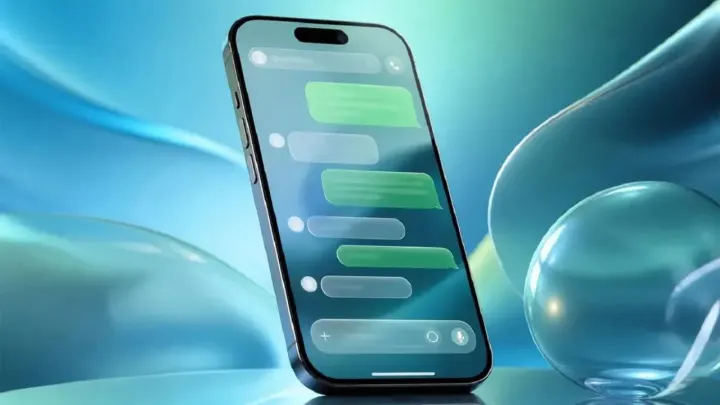
The discovery comes from a teardown of WhatsApp for Android beta version 2.26.44.12. The analysis revealed code that would generate a floating card with recent messages when a user long-presses a conversation in the chat list. Beneath the card, a refreshed context menu would appear, offering the familiar options to pin, archive, mute or delete the chat.
Unlike the iOS implementation, the Android preview window appears to be scrollable. That means users could swipe up or down inside the card to read older messages without opening the full conversation thread. Crucially, the preview does not send the blue double-check read receipt that normally appears when a message is opened.
How the Feature Differs From Existing iPhone Functionality
On iOS, a long-press on a chat opens a small pop-up that shows the most recent messages. The pop-up is static; users cannot scroll beyond the last few lines, limiting how much can be read. The Android prototype, by contrast, seems to allow scrolling, giving a broader view of the conversation while still keeping the sender's read status unchanged.
Why Read Receipts Matter to Users
WhatsApp's read receipts, indicated by blue double ticks, let senders know that a message has been opened. Some users appreciate the transparency, while others prefer privacy. WhatsApp already offers a global toggle to disable read receipts entirely, but turning the feature off also hides the user's own read status from others, which some consider a drawback.
For users who keep receipts enabled, the preview function offers a middle ground: they can glance at a message without alerting the sender, preserving the appearance of having read the message only when they choose to open the chat fully.
Background: How Message Previews Evolved on WhatsApp
WhatsApp introduced read receipts in 2012, shortly after the app's global expansion. The blue ticks quickly became a cultural touchstone, prompting a wave of workarounds. Early Android versions allowed users to view messages from the notification shade, but once a notification was dismissed, the content disappeared. iPhone users gained a long-press preview in 2021, which sparked demand for a comparable Android tool.
Developers have historically used app teardowns, reverse-engineering the compiled code, to uncover hidden features before official release. Past examples include the "delete for everyone" timer extension and the "disappearing messages" scheduler, both of which later appeared in stable releases after user feedback.
Technical Explainer: What a Teardown Reveals
A teardown involves decompiling the APK (Android Package) and inspecting the bytecode for unused or hidden functions. In version 2.26.44.12, researchers found a class named MessagePreviewOverlay and associated UI resources that are not referenced in the public build. The class contains methods for rendering a card, populating it with the last three messages, and handling scroll gestures. Importantly, the code explicitly calls the markAsSeen function only when the full chat activity is launched, not when the overlay is displayed.
This separation of UI layers explains how the preview can remain invisible to the sender's read receipt system. The overlay is rendered in a separate process, similar to Android's "system alert window," which does not interact with the message-state database until the user taps the card.
Potential Impact on Users and the Platform
If released, the feature would affect several user groups:
- Privacy-conscious users: They could maintain the appearance of reading messages only when they truly engage, reducing social pressure.
- Business accounts: Companies that rely on timely responses could use the preview to triage inquiries without confirming receipt.
- Developers and third-party tools: Apps that integrate with WhatsApp may need to adjust their automation scripts to account for the new UI element.
From a platform perspective, the addition narrows the feature gap between Android and iOS, reinforcing WhatsApp's "feature parity" promise across operating systems.
What Comes Next: Development Timeline and Availability
The preview feature remains under development and is not yet part of any public beta channel. WhatsApp has not announced a launch date, and the company typically rolls out new UI changes gradually, starting with a small percentage of users before a global rollout.
Users who wish to test the function should monitor the official WhatsApp beta program on the Google Play Store. Once the feature reaches stable release, it is expected to be enabled by default for users who have read receipts turned on, with an optional toggle in Settings > Chats > Message preview.
How to Use the Feature When It Arrives
Assuming the final implementation follows the beta code, the steps would be:
- Open the WhatsApp chat list on an Android device.
- Long-press the conversation you want to glance at.
- A floating card appears, showing the most recent messages.
- Swipe up or down to scroll through older messages within the card.
- Tap anywhere outside the card or press the back button to dismiss it without opening the chat.
Read receipts will remain grey (single tick) until the user opens the full conversation, preserving the sender's perception that the message is unread.
Comparison With Other Messaging Apps
Telegram, Signal and iMessage already provide ways to preview messages without marking them as read. Telegram's "preview" option works from the notification shade, while Signal offers a "view once" mode for media. WhatsApp's upcoming overlay would place it on par with these competitors, potentially influencing user retention and satisfaction.
Conclusion
While the feature is still in beta and not guaranteed to ship, the evidence from the 2.26.44.12 teardown suggests a functional prototype that could soon appear on Android devices. By enabling scrollable, non-intrusive previews, WhatsApp would give Android users a privacy tool that has long been exclusive to iPhone, aligning both platforms and responding to user demand for more nuanced control over read receipts.