Google Rolls Out Gemini App Support for Apple CarPlay
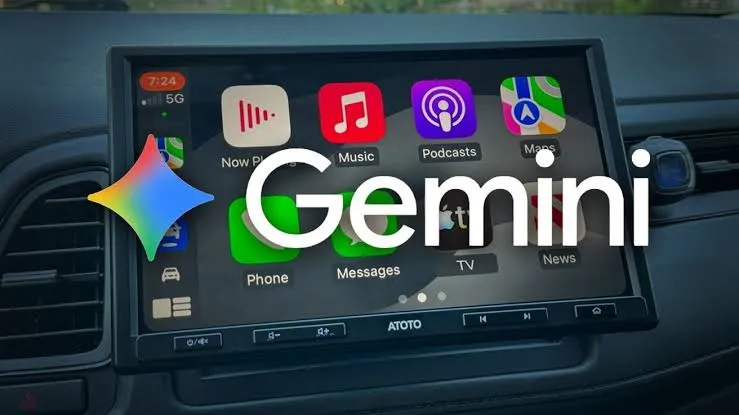
Google has started rolling out its Gemini app on Apple CarPlay, bringing its artificial intelligence assistant directly to iPhone users driving with compatible vehicle displays. The update lets drivers have hands-free conversations with Gemini Live while on the road. The move follows Gemini's earlier arrival on Android Auto and vehicles with Google built-in. Now, iPhone users can also access Google's AI assistant directly through their car's infotainment system.
Integrating artificial intelligence into vehicle dashboards represents a major shift in how motorists interact with digital tools while driving. Automobile manufacturers and tech companies have spent years refining in-car software to minimize distractions. By bringing Gemini to CarPlay, Google provides an alternative to Siri for iPhone owners who prefer the company's language models for everyday tasks.
The rollout follows months of development aimed at expanding Google artificial intelligence tools across different hardware ecosystems. While Android users gained similar features earlier, bringing the application to Apple's proprietary car platform requires navigating specific technical parameters set by Apple. Drivers with the correct software versions can now find the icon on their dashboard screens.
How Drivers Can Use Gemini on CarPlay
Drivers can tap the Gemini icon on the CarPlay screen to start a new conversation or continue a recent chat. They can also interrupt responses, change topics, or pause conversations when they need to focus on driving. This flexibility helps maintain safety by letting motorists control the flow of audio without looking away from the road or fumbling with menus.
Voice activation allows for seamless transitions between complex queries and simple commands. When a driver needs to pivot attention back to traffic conditions, stopping the dialogue requires minimal interaction. The system pauses instantly, ensuring that concentration remains on the surrounding roadway.
The interface mirrors standard CarPlay application designs to ensure familiarity. Users do not need to learn a completely new visual layout to begin interacting with the assistant. The familiar touch targets and clear iconography make navigation straightforward.
Everyday Tasks and Features Available on CarPlay
Google says Gemini can handle several everyday tasks through CarPlay. Users can check their calendars, read unread emails, and receive a daily brief. They can also ask for local recommendations or practice an upcoming presentation.
Managing a busy schedule becomes easier when motorists can review appointments during their morning commute. Checking incoming messages without touching a smartphone reduces the temptation to engage in dangerous driving habits. Professional users can rehearse talking points for a meeting while driving to the office.
Local search capabilities help drivers find nearby businesses, dining options, or service stations. The assistant provides spoken directions and details without requiring manual text entry on a small screen. These capabilities turn driving time into a productive period for organization and planning.
Cross-Device Syncing and Future Expansion Plans
Additionally, conversations sync with the Gemini app on the iPhone. This means users can access their notes and conversation summaries after parking their cars. Google says the rollout will eventually reach all Gemini users on iOS. It will also support every language currently available for Gemini Live.
Data synchronization ensures that ideas generated during a drive are not lost upon arrival. A summary created during transit waits on the phone for review inside the office or home. This continuity bridges the gap between mobile applications and vehicular software.
Global deployment will take time as servers update and regional parameters adjust. Supporting every language currently available for Gemini Live means millions of international motorists will eventually gain access in their native tongues. Google continues to scale its server infrastructure to handle the increased load from vehicular applications.
Requirements and Regional Restrictions for CarPlay Users
However, users must meet a few requirements before accessing the feature. They need the latest version of the Gemini app and must enable microphone permissions. They must also complete at least one Gemini Live conversation on their iPhone.
The Daily Brief feature requires separate activation before it can be used. Google also limits certain personalization features, including Daily Brief, for users under 18. These features are also unavailable in the European Economic Area and Nigeria.
Meeting these prerequisites ensures that the application has the necessary hardware permissions and user authorization to function correctly. The requirement to complete an initial conversation on the phone familiarizes users with the interface before they operate it in a moving vehicle. Regional exclusions reflect local regulatory compliance standards regarding automated data processing and artificial intelligence tools.