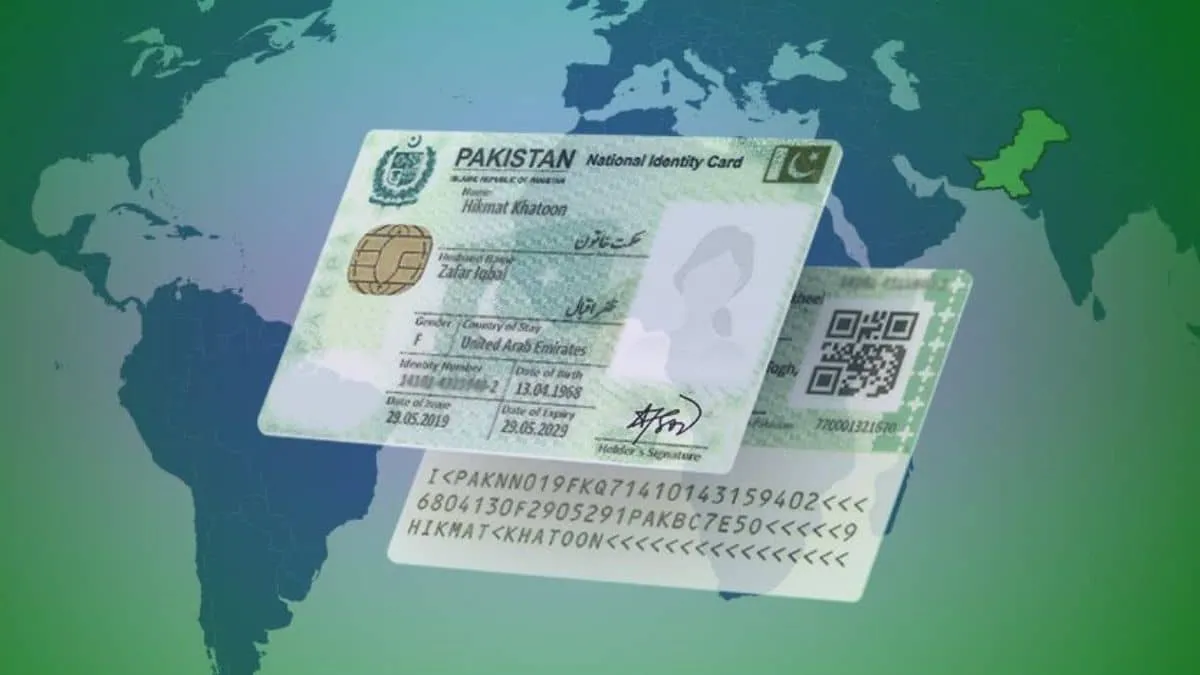
The National Database and Registration Authority has outlined how citizens living abroad can request their first National Identity Card for Overseas Pakistanis through the official Pak ID mobile software. Adults aged 18 and older seeking this document for the initial time must follow specific guidelines regarding paperwork, biometric checks, and backup methods.
People can file paperwork online without initially going to a NADRA Registration Centre, though certain files might demand extra checks or an in-person appointment. The agency also explained alternative steps when parents or relatives are unable to complete biometric authentication.
Who Can Qualify for a NICOP?
This identification paper is granted to individuals holding Pakistani citizenship who reside or work internationally. Eligible dual nationals and citizens intending to move abroad can also apply.
Those born outside the country may qualify if they satisfy citizenship and registration rules.
Adults aged 18 and above applying for the first time must prove their Pakistani identity and supply necessary supporting files.
Required Paperwork for Initial NICOP Requests
Applicants must supply the CNIC or NICOP digits of a parent or blood relative to confirm family links, according to the authority.
Individuals born overseas need proper birth or citizenship proof, such as a detailed foreign birth certificate, an S1 form from a Pakistani embassy or consulate, or naturalisation papers.
The agency also demands proof of travel status or overseas residence, which can include a foreign or Pakistani passport, residence permit, or other accepted travel papers.
When travel or residence papers are missing, individuals can submit Undertaking A if endorsed by a Pakistani diplomatic mission, where allowed by agency rules.
Exact paperwork varies based on birthplace, nationality, family history, and personal situations.
Steps to Request Your First NICOP Through the Pak ID App
International citizens can request a new card using the official Pak ID mobile application for Android and iOS devices.
The digital filing process includes these steps:
Step 1: Download the Pak ID App
Get the official software from the Apple App Store or Google Play Store.
Users should confirm the program is published by NADRA before entering personal details.
Step 2: Create an Account
Launch the software and register using necessary contact and personal details.
Current users can log in with established credentials.
Step 3: Select New NICOP
After logging in, choose the NICOP service and select the new application option.
Users must pick the correct category because fresh requests differ from renewals or modifications.
Step 4: Enter Personal and Family Details
Fill out the digital form with personal data, including birth date, name, address, nationality, and family records.
Users must also enter the CNIC or NICOP digits of a parent or blood relative where relevant.
Step 5: Upload the Required Documents
Upload clear scans of necessary files, including citizenship records, birth certificates, and passport or residence paperwork.
Users must also submit a photo and finish identity checks displayed in the program.
Step 6: Complete Biometric Verification
Follow the software prompts to finish biometric checks or secure necessary validation from a qualified family member.
If digital authentication fails, the agency might ask for extra attestation or a trip to a registration office.
Step 7: Pay the NICOP Application Fee
Pick a processing speed and pay the fee through an accessible payment method.
The cost relies on the geographical zone and whether Normal, Urgent, or Executive processing is chosen.
Step 8: Submit and Track the Application
Double-check all details carefully prior to final submission.
Following submission, users can monitor request status via the mobile software. The agency may ask for extra papers or checks during processing.
What Happens If Biometric Checks Are Unavailable?
The agency permits alternative authentication when biometric checks cannot be finished.
Locals inside the country can have forms attested by a gazetted officer or public representative under current regulations.
Overseas residents can secure verification from a qualified cardholder through designated procedures.
Users must follow specific attestation directions provided for their request type.
Can Applicants Visit a NADRA Registration Centre?
Yes, initial applicants can also file paperwork directly at a local registration office.
Visitors must bring necessary identity, family, and citizenship papers during registration.
Staff will review the paperwork and finish required biometric or alternative checks.
An in-person trip may also be necessary if digital submissions cannot be finalized online.